How Image to Text Conversion Make Printed Study Materials Easier to Use?
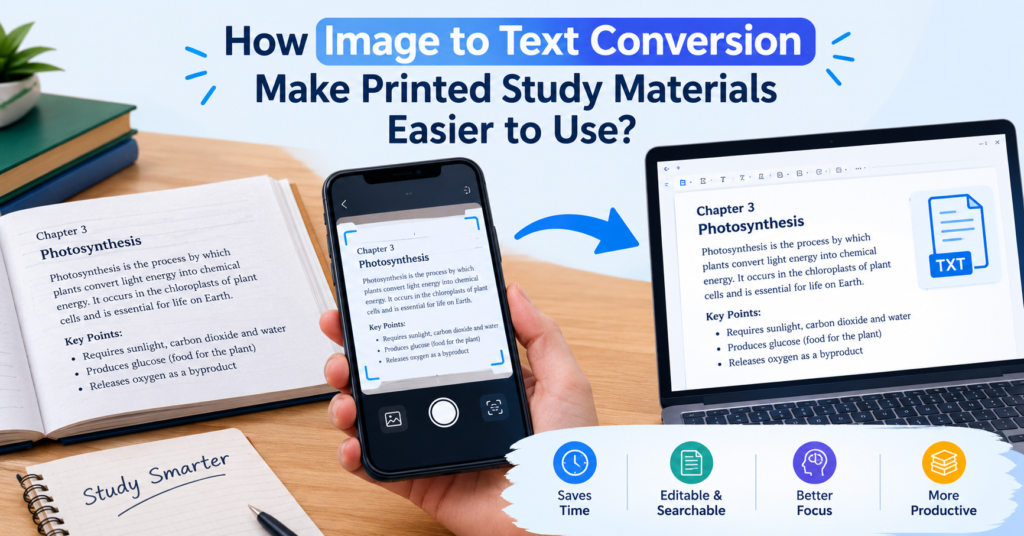
Image to text conversion is very common nowadays, thanks to OCR technology. OCR, or optical character recognition, recognizes readable characters/text in images and documents like PDFs. Image to text tools that are used today to digitize documents and extract text from images work on OCR technology.
Image to text conversion has various practical applications. It helps students turn printed study materials, photographed pages, and image-based PDFs into easier-to-use formats, such as searchable, editable, and shareable.
In this blog post, you will learn how image to text conversion makes printed study materials easier to use.
What is Image to Text Conversion?
Image to text conversion is the process of turning text inside images into digital text. You can think of it like extracting the text from the image without typing manually. You can easily perform the conversion using an online image-to-text tool.
Students can also use image to text tool to extract text from:
- Textbooks and printed notes
- Class handouts and worksheets
- Research papers and study guides
- Photos of classroom whiteboards
- Printed questions and practice tests
How Does Image to Text Conversion Work?
The process of image to text conversion is simple. Most online image to text conversion tools usually follow this process.
- Take a photo: You take a photo of the documents or any other material containing the text that you want to extract.
- Submit image: You submit the photos of the materials to an image to text tool.
- Extract text: You initiate the conversion by clicking the action button on the tool.
- Converted: The tool uses OCR to extract the text and display the results.
- Copy/Download: Depending on the tool’s offering, you can copy or download the converted text as per your needs.
Role of Image to Text Conversion for Printed Study Materials
Image to text conversion makes study material easier to use in many ways. For example, it helps you save expenses by creating digital copies of costly books. Lets you preserve rarer educational materials from archives by digitizing them. There are many more applications of image to text conversion in the study field.
Below, we are mentioning some of the primary ones.
1. Makes Printed Text Easy to Edit
Students cannot edit text in printed books. They must type it again to make changes. An image to text tool can turn a photo into text. Students can then edit it, add notes, or mark key points. This helps them make their own study notes with less work.
2. Saves Time When Making Notes
Typing text from books takes time. It can also keep students from their main task, which is to learn. With an image-to-text tool, you can copy text from a photo. Students can then use this text in their notes. This saves time. They can use that time to read, learn, and get ready for tests.
3. Makes Study Notes Easy to Search
Finding a topic in a thick book can take time. Students may need to read many pages to find what they need. Digital text makes this task easy. Students can search for a word in their notes.
4. Helps Students Make Digital Notes
Students often get notes from books, sheets, and handouts. It can be hard to keep all these notes in one place. An image to text tool helps them copy text from these pages. They can then save it in a digital file.
5. Let’s Use Notes on Any Device
Books and notebooks can be hard to carry. Students may need many of them to study. Digital notes are easy to carry. Students can save them on a phone, tablet, or laptop. They can also save a copy online. This helps them keep their notes safe if they lose their device.
6. Makes Sharing Notes Easy
Students often share notes with friends. But copying notes by hand takes time. An image to text tool can copy text from a page. Students can then share it by email or chat. This also helps with group work. Each student can add notes to one shared file. Still, students must follow copyright rules when they share text from books.
Which Printed Study Materials Can Students Convert?
Students can use image to text conversion for many types of printed materials.
| Material Type | Conversion Benefits |
| Textbooks | Extract key points and definitions |
| Class handouts | Create editable digital notes |
| Worksheets | Copy questions into study documents |
| Research papers | Organize useful information |
| Whiteboard photos | Save classroom notes |
| Study guides | Prepare digital revision materials |
3 Best Tools to Convert Image to Text
A huge collection of image to text tools is available on the internet. Only a few among them deliver quality results. Here we are listing 3 best tools that are free to use and efficiently extract text from images.
- Image to Text tool by OCROnline.io – This image to text tool is fully free to use and supports bulk conversion. It lets users convert up to five images at a time, with a maximum of 4 MB per image, without any registration or fee.
- Imagetotext.me – This image to text conversion tool also supports bulk conversion and is highly efficient at extracting blurry or handwritten text. Its premium version can convert upto 150 images in one go.
- Imagetotextconverter.net – This image to text tool is known for offering both simple and formatted OCR extraction. It is a good fit for extracting text from tables.
OCR Tools That Are Not for Students
Some image-to-text tools offer strong text extraction quality. However, they place limits on free usage. This can be a problem for students who need to convert many images.
Why pay for a tool when you can get good results for free? Instead, choose a free image to text tool that offers quality results without strict usage limits.
Bottom Line
Image to text conversion is very useful for students and businesses alike. This conversion helps students make printed study materials easier to use. They can make printed materials like class notes, handouts, and whiteboard pictures editable, searchable, and easier to share. Students can use OCR tools to turn printed pages into editable text with less effort. However, they should always check the results for mistakes.