Question: The second section of a request message in HTTP is the__________
Answer:
The second section of a request message in HTTP is the "Headers".
Headers provide additional information about the request being made. They are key-value pairs separated by a colon (:) and are included in the request message's header section, which comes after the request line.
HTTP headers can include various types of information, such as:
1. User-Agent: It specifies the client application or user agent making the request, such as a web browser or a script.
2. Host: It specifies the host name or IP address of the server to which the request is being sent.
3. Content-Type: It indicates the type of data being sent in the request body, such as "application/json" or "text/html".
4. Accept: It specifies the media types that the client can handle in the response, allowing the server to send the appropriate content.
5. Authorization: It includes credentials or tokens to authenticate the client's access to the requested resource.
6. Cookie: It contains previously set cookies associated with the server's domain.
These are just a few examples of commonly used headers in HTTP requests. There are numerous other headers that can provide specific instructions or additional details to the server.
Headers play a crucial role in conveying information about the request and influencing how the server processes and responds to the request. They allow for customization, negotiation, and control over the communication between the client and the server.
MCQ: The second section of a request message in HTTP is the__________
Explanation:
The second section of a request message in HTTP is the "Headers".
Headers provide additional information about the request being made. They are key-value pairs separated by a colon (:) and are included in the request message's header section, which comes after the request line.
HTTP headers can include various types of information, such as:
1. User-Agent: It specifies the client application or user agent making the request, such as a web browser or a script.
2. Host: It specifies the host name or IP address of the server to which the request is being sent.
3. Content-Type: It indicates the type of data being sent in the request body, such as "application/json" or "text/html".
4. Accept: It specifies the media types that the client can handle in the response, allowing the server to send the appropriate content.
5. Authorization: It includes credentials or tokens to authenticate the client's access to the requested resource.
6. Cookie: It contains previously set cookies associated with the server's domain.
These are just a few examples of commonly used headers in HTTP requests. There are numerous other headers that can provide specific instructions or additional details to the server.
Headers play a crucial role in conveying information about the request and influencing how the server processes and responds to the request. They allow for customization, negotiation, and control over the communication between the client and the server.
Discuss a Question
Related Questions
- 1. The third section of a request message in HTTP is the__________
- 2. An URL is normally made of _______ parts
- 3. In the URL HTTP://xxxx:yyyy/zzzz, the method is _________.
- 4. XLL definition is used along with XML to specify
- 5. DTD definition is used along with XML to specify
- 6. In _______ each object is defined by a numeric identifier
- 7. The identifier for the object named <i>sys</i> under the <i>mib</i> object is ______.
- 8. SNMP uses _________ messages to send and retrieve messages.
- 9. If a manager needs to get some information from an agent, it uses the _______ message.
- 10. If an agent needs to send some information to a manager, it uses the _________ message
You may be interested in:
Web Fundamental MCQsRecently Added Articles

How to pick a Bintan resort when you’ve only got 48 hours
Last updated on: September 23, 2026Posted by: ExamRadar

Features to Look for While Choosing the Best Automation Tool
Last updated on: July 15, 2026Posted by: ExamRadar
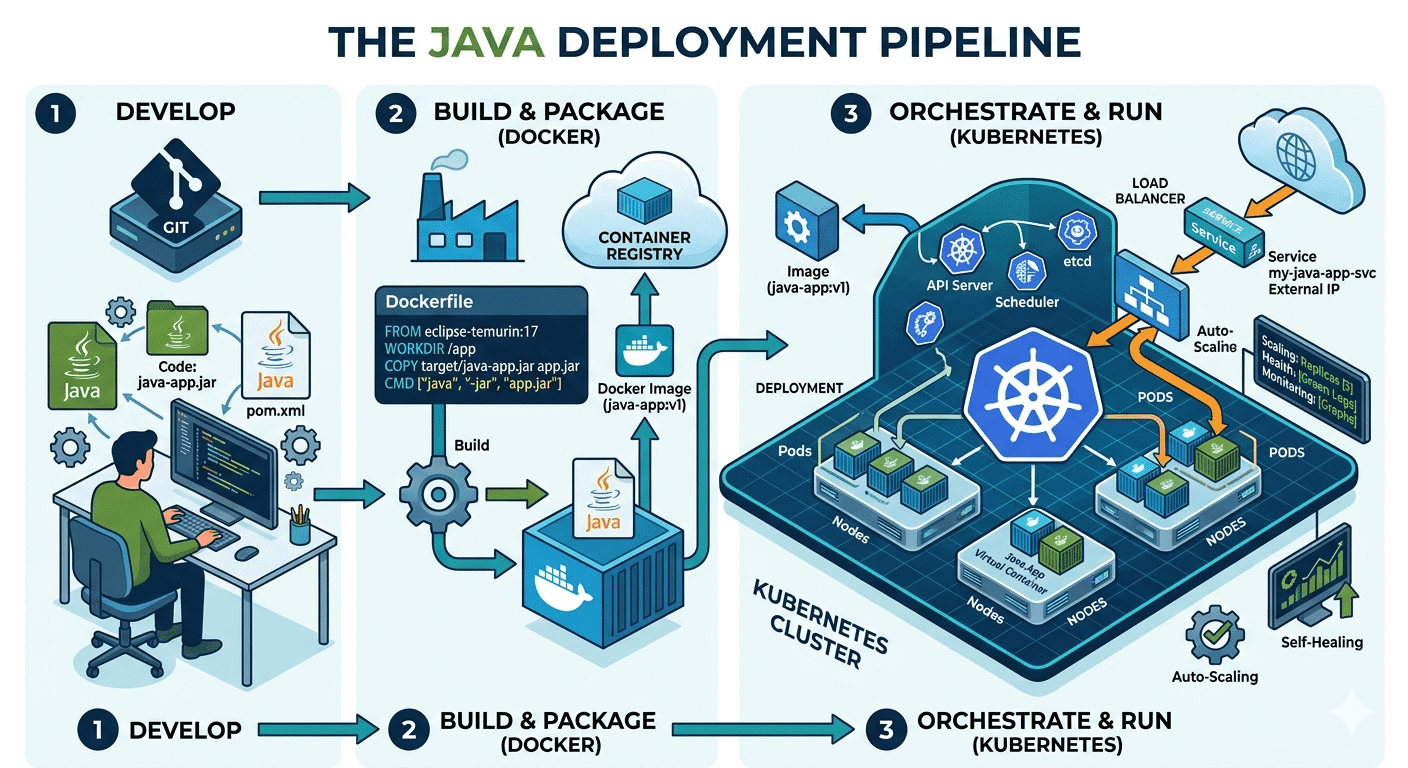
How Do Java Development Teams Use Docker and Kubernetes to Deploy Applications?
Last updated on: April 24, 2026Posted by: ExamRadar

AI vs Machine Learning: Key Differences Every Professional Should Know
Last updated on: February 13, 2026Posted by: ExamRadar

Office Cleaning Services That Elevate Sydney Offices
Last updated on: February 11, 2026Posted by: ExamRadar

What You Actually Learn About Exam Patterns From RBI Grade B Previous Year Papers?
Last updated on: February 9, 2026Posted by: ExamRadar

Mental Health Support That’s Closer Than You Think
Last updated on: January 7, 2026Posted by: ExamRadar

Transform Your Home’s Exterior with Columbus roofing company
Last updated on: November 27, 2025Posted by: ExamRadar